
The highlighter tool can be used in both reading and maths tests to highlight parts of the question or reading text.
To use the highlighter, learners first select the section of text they would like to highlight:
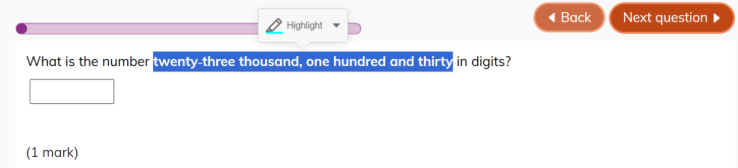
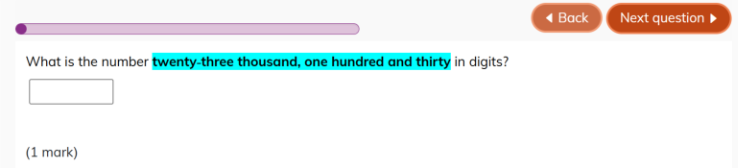
The highlighter tool will appear and if clicked, the selected text will become highlighted in the default colour:
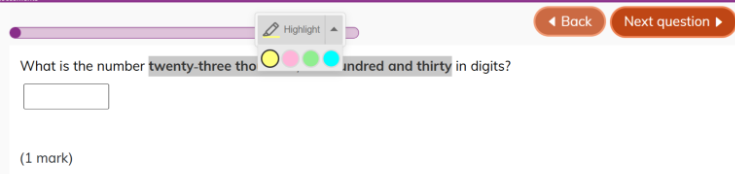
The arrow at the side of the highlighter tool allows learners to choose between the highlighter colours: yellow, pink, green or blue.
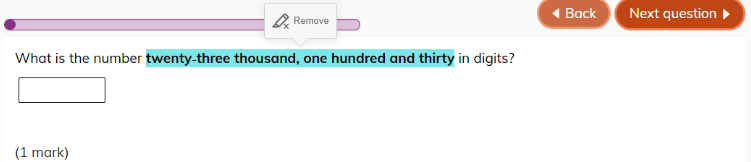
If they want to delete their highlighting, learners click on the highlighted text to display the ‘Remove’ button. Selecting this button will remove the highlighting.
Was this article helpful?
That’s Great!
Thank you for your feedback
Sorry! We couldn't be helpful
Thank you for your feedback
Feedback sent
We appreciate your effort and will try to fix the article